Beyond the Tool: What We Learned Designing and Implementing AI for Team-Based Learning

Amanda Schultz is a student affairs program manager, and Abbie Williams-Yee is a data and operations coordinator at the University of Michigan Stephen M. Ross School of Business.
Team-based learning is central to experiential education because it mirrors the collaborative environments students will encounter throughout their careers. Each year, the Office of Action-Based Learning at the University of Michigan Ross School of Business brings together more than 1,000 students in diverse teams across 200-plus projects to consult and focus on solving complex, real-world business problems. These experiences also surface familiar challenges—communication breakdowns, conflict, uneven participation, and accountability—that are a natural part of learning to work effectively with others.
Supporting students through these challenges requires balancing timely guidance with the realities of scale. Many important learning moments happen outside the classroom, when students are preparing for a difficult conversation, navigating conflict, or reflecting on their role within a team. We repeatedly hear the same questions from students: How do I address a teammate who isn’t contributing? How can I provide constructive feedback? What should I do when communication breaks down?
When U-M introduced Maizey, its generative AI platform, we saw an opportunity, not to replace the instructor’s role, but to extend it. We asked whether AI could provide timely, research-informed guidance that complemented the support students already received from Michigan Ross faculty advisors and learning partners.
That question became the foundation for creating our Team Dynamics Maizey (now renamed Waypoint). We envisioned the tool as a reflective coaching resource that encourages students to think critically about team dynamics, prepare for challenging conversations, and apply evidence-based collaboration practices.
Ultimately, this project began not with a technology challenge, but with a teaching challenge. That focus shaped our design decisions and continues to guide the tool’s evolution.
Deciding What to Build—and How to Build It
As we explored the growing number of AI tools available, we found ourselves returning to five key areas: purpose, access, data security and privacy, partnerships, and capacity and longevity.
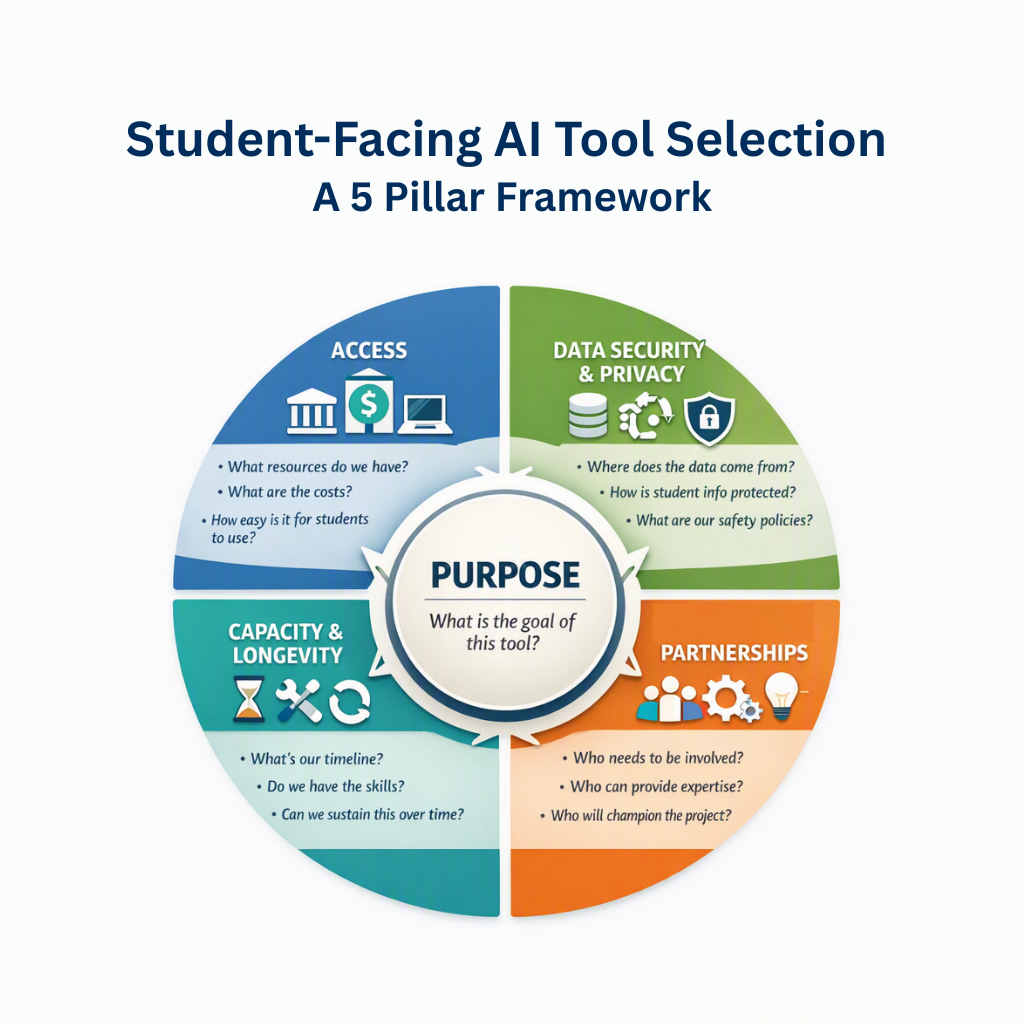
These questions helped us consider not only the tool and its development, but most importantly, its end users, our students. Purpose was the underlying thread throughout our process: would the tool actually support students navigating the interpersonal challenges of peer-level teams?
At the time, U-M supported two options we considered seriously: Google Gemini’s Gems and U-M Maizey. We compared functionality, data governance and compliance, development, and long-term maintenance.
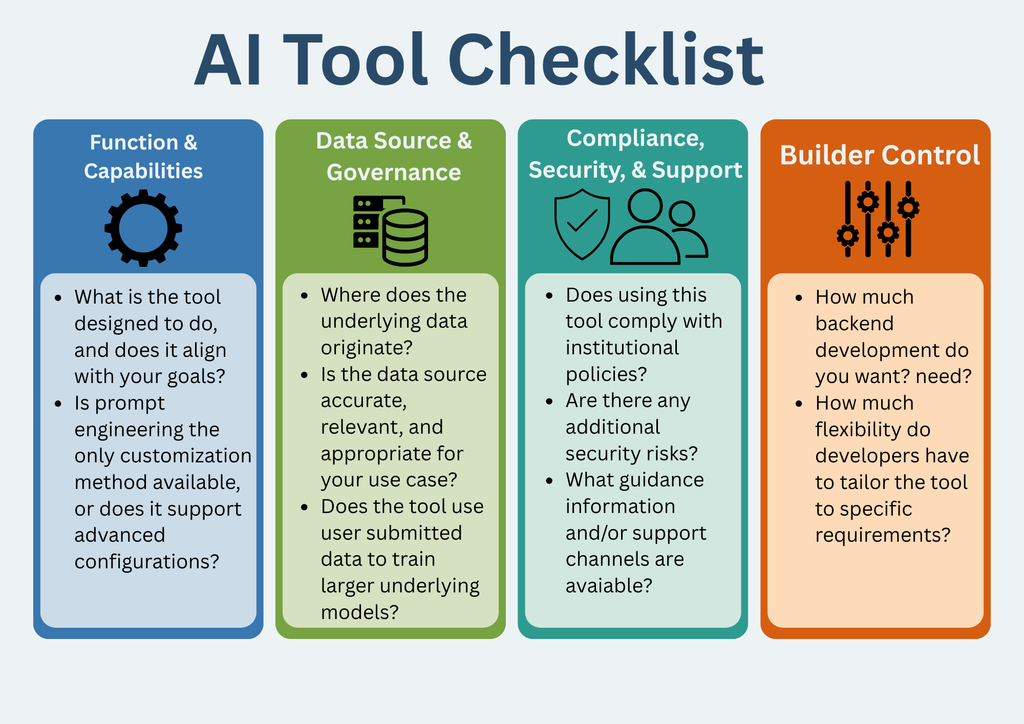
Because students might use the tool to discuss sensitive team situations, data control and privacy were a high priority. We considered what source materials would generate responses, how information entered by students would be handled and protected, and whether student inputs would be used to train the underlying AI model.
Based on university guidance available during our review, information entered into either platform would not be used to train the underlying models. One important difference was the level of control we would have over source materials. U-M Maizey allowed us to ground responses in a curated collection of resources we selected, giving us greater confidence in the information students would receive. Along with university-supported data practices, accessibility, and cost, this ultimately led us to select U-M Maizey.
Building the Right Partnerships
Choosing a platform was only part of the process. We quickly learned that different partnerships would be important at different stages. U-M Information Technology Services (ITS) helped us understand safe computing practices and data considerations, while Ross IT later provided additional technical support.
Developing the tool’s knowledge base required another kind of expertise. We partnered with the Sanger Leadership Center, a long-standing Michigan Ross collaborator that provides leadership-development opportunities at critical moments in students’ project journeys. Together, we assembled and reviewed the leadership development resources that became the foundation for the tool’s responses.
We also wanted beta testing to include people who understood both leadership development and the environments in which students would use the tool. Sanger colleagues, staff from participating programs, and former students tested it and provided valuable insight into necessary adjustments. Ross leadership also became important champions, helping build awareness and support.
Each partner strengthened the project in a different way through technical support, content expertise, testing, implementation, or advocacy. What began as one category in our decision-making framework became an essential part of the development process.
Our experience reinforced something that guided us from the beginning: selecting and developing an AI tool is not simply a technology decision. Purpose, people, privacy, and pedagogy all matter.
Learning, Adapting, and Moving Forward
We began our year-long pilot within two Action-Based Learning programs—Multidisciplinary Action Projects (MAP) and Consulting Studio (CS)—with students from the Weekend MBA, Master of Supply Chain Management, and Master of Business Analytics programs. While students responded positively to Waypoint when introduced to it, we quickly learned that initial interest did not translate into sustained use. During their MAP and CS course kickoffs, 188 students used the tool, generating 196 chats and exchanging 1,278 messages. After that initial engagement, however, only one student returned to the tool, using it for a single chat with five messages over the remainder of the program.
The below examples show Waypoint being utilized for role play activities where students could practice conversations with teammates, using it as a resource to seek tools that could support the group work, and finally as a guide to drafting communications.
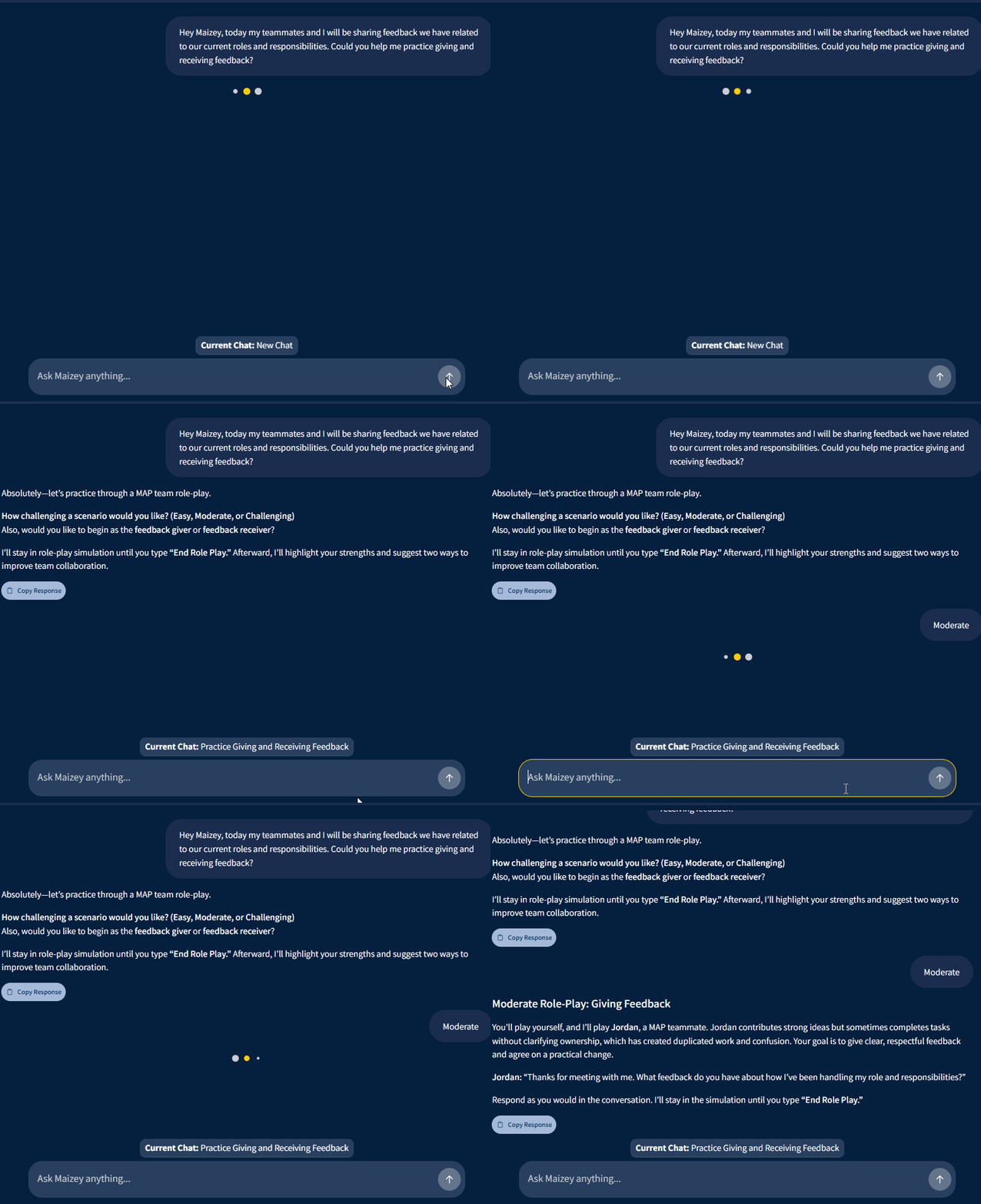
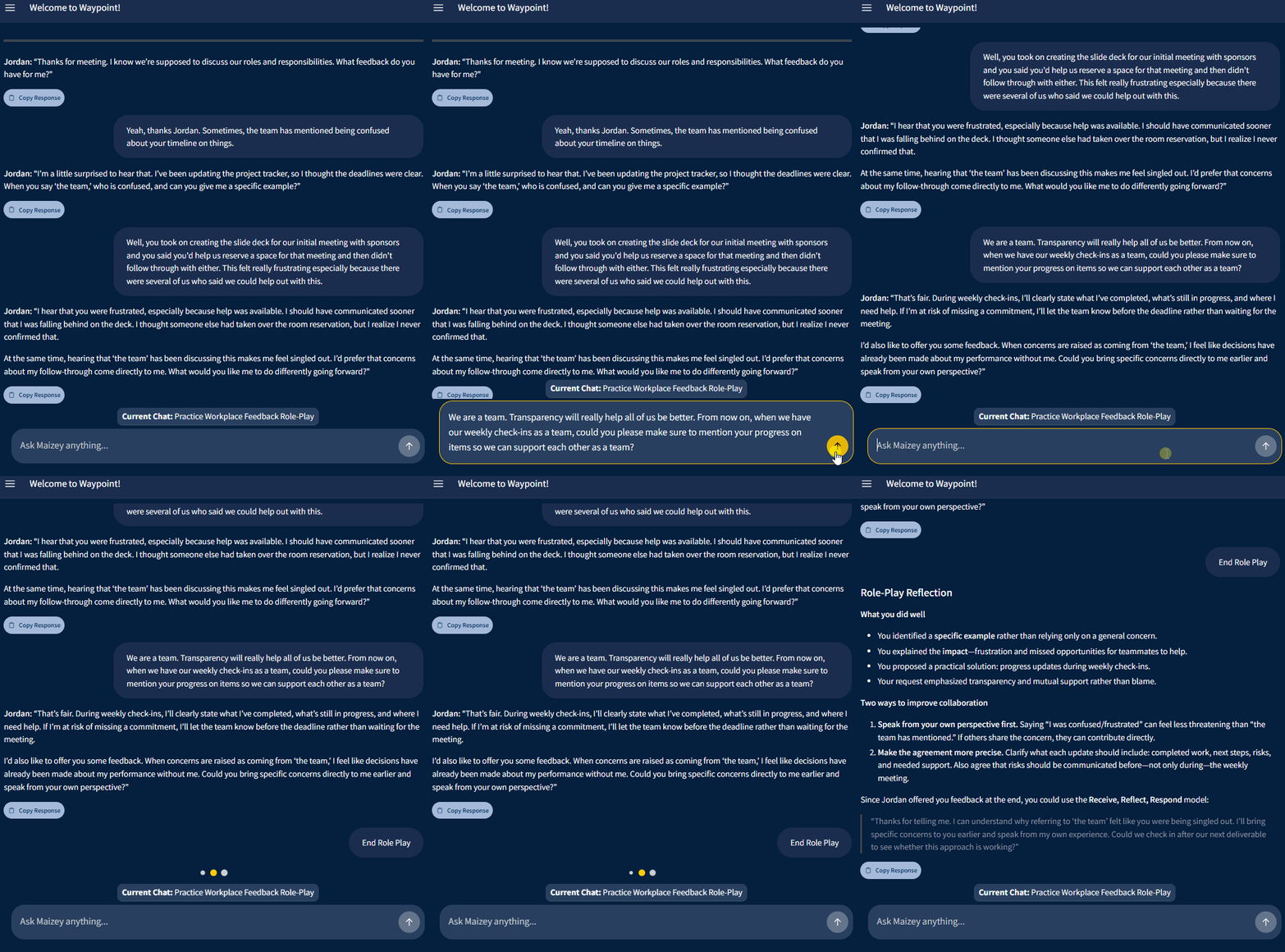
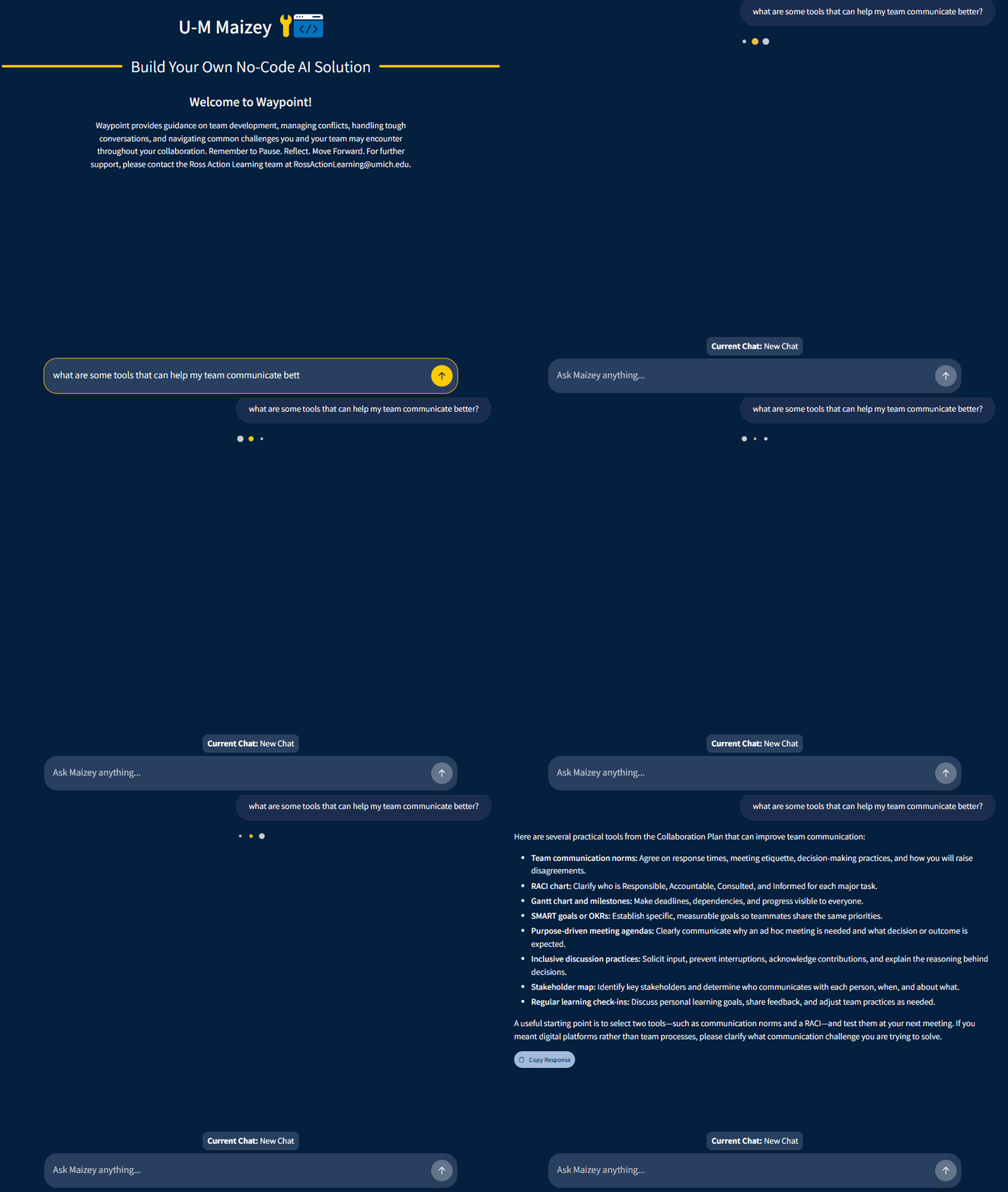
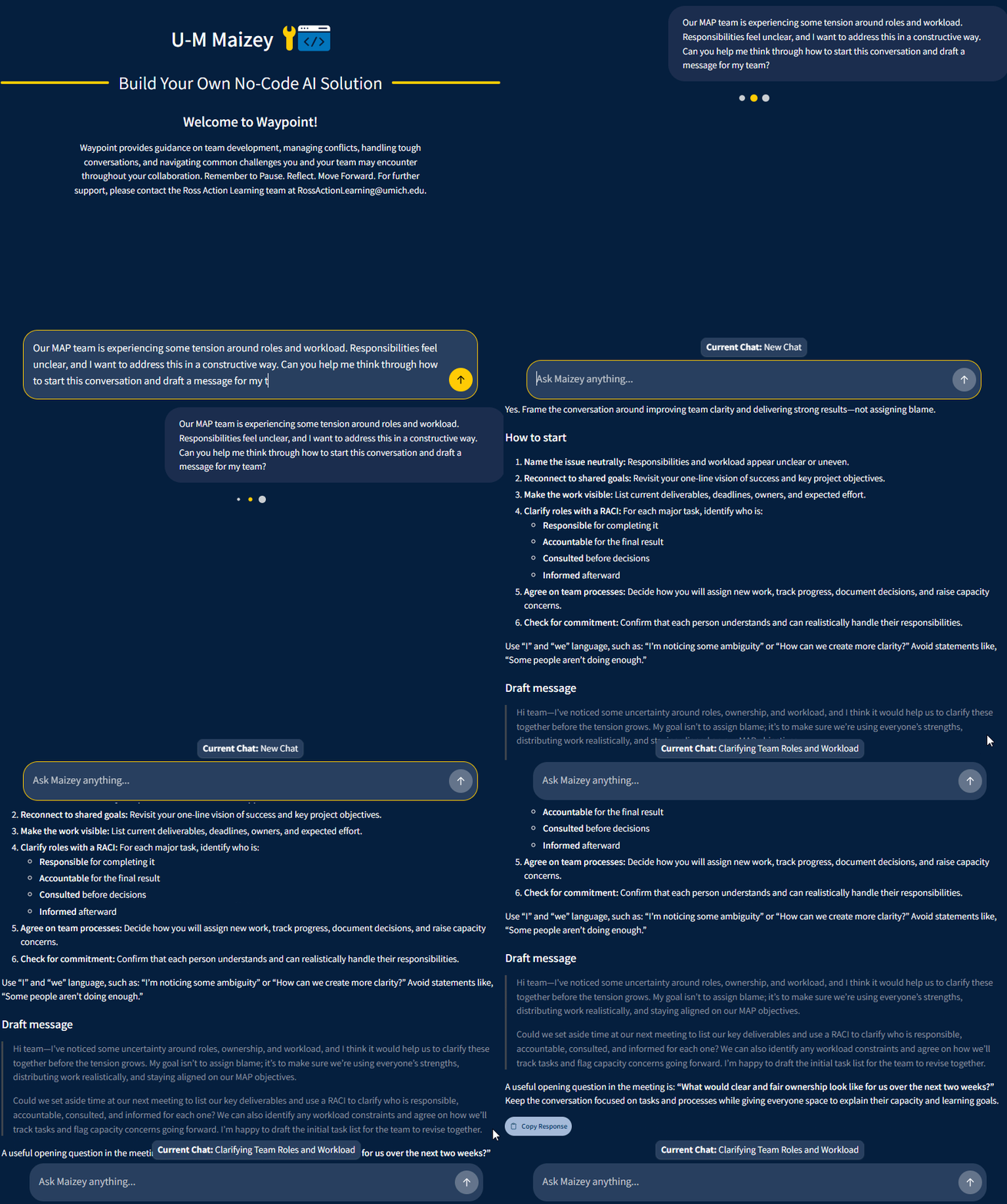
Student feedback helped us better understand some of the barriers to continued use, including limited prompting, unclear directions for accessing the tool, and familiarity with other AI platforms. This challenged us to think beyond simply making Waypoint available. Successful implementation would require clearer communication, easier access, and more intentional opportunities for students to engage with the tool when team challenges arise.
As we move into the next iteration of our year-long pilot with the Fall 2026 Online MBA MAP cohort, we are putting those lessons into practice. One change is the evolution of Team Dynamics Maizey into Waypoint: Pause. Reflect. Move Forward. The new name better reflects the tool’s purpose: giving students a place to pause when a team challenge arises, reflect on the situation, and consider how they want to move forward.
We are also being more intentional about when and where students encounter Waypoint. Online MBA students were introduced to the tool immediately following their MAP project assignment reveal in mid-July and again during the course kickoff in early September. Before MAP kickoff, faculty advisors, communication faculty advisors, and librarians were also introduced to Waypoint so they could serve as informed champions and direct students to the resource when team challenges emerge.
Within Canvas, we expanded access from one module-based location to three touchpoints: the original module, course navigation, and a homepage feature. Bi-weekly Canvas announcements provide additional reminders throughout the semester.
So far, these changes have coincided with more sustained engagement during the Fall 2026 implementation: 12 students have initiated 18 chats and exchanged 65 messages beyond the initial introduction. While we cannot yet determine which changes are contributing to this increased use, the early data gives us reason to continue exploring whether greater visibility, clearer communication about Waypoint’s purpose, and more intentional integration into the student experience are making it easier for students to engage with the tool when they need it.
As the pilot continues, so does our central question: How can we make Waypoint a more visible and natural part of the student experience?
Looking Ahead
One priority is revisiting the source material, updating existing resources, and identifying additional content that could strengthen Waypoint’s knowledge base and responses.
We are also considering how Waypoint might complement existing forms of student support. In programs with peer mentors, for example, it could serve as an additional resource when immediate human support is unavailable. Another possibility is introducing Waypoint through pre-program curriculum aligned with Action-Based Learning, giving students an opportunity to become familiar with the resource before they encounter the complexities of working on a project team.
These possibilities are intentionally still exploratory. Our experience developing Waypoint has reminded us that AI platforms evolve quickly, and creating an AI-supported learning resource is an iterative process: start with the teaching need, choose technology intentionally, involve the right people, learn from your users, and continue adapting.